
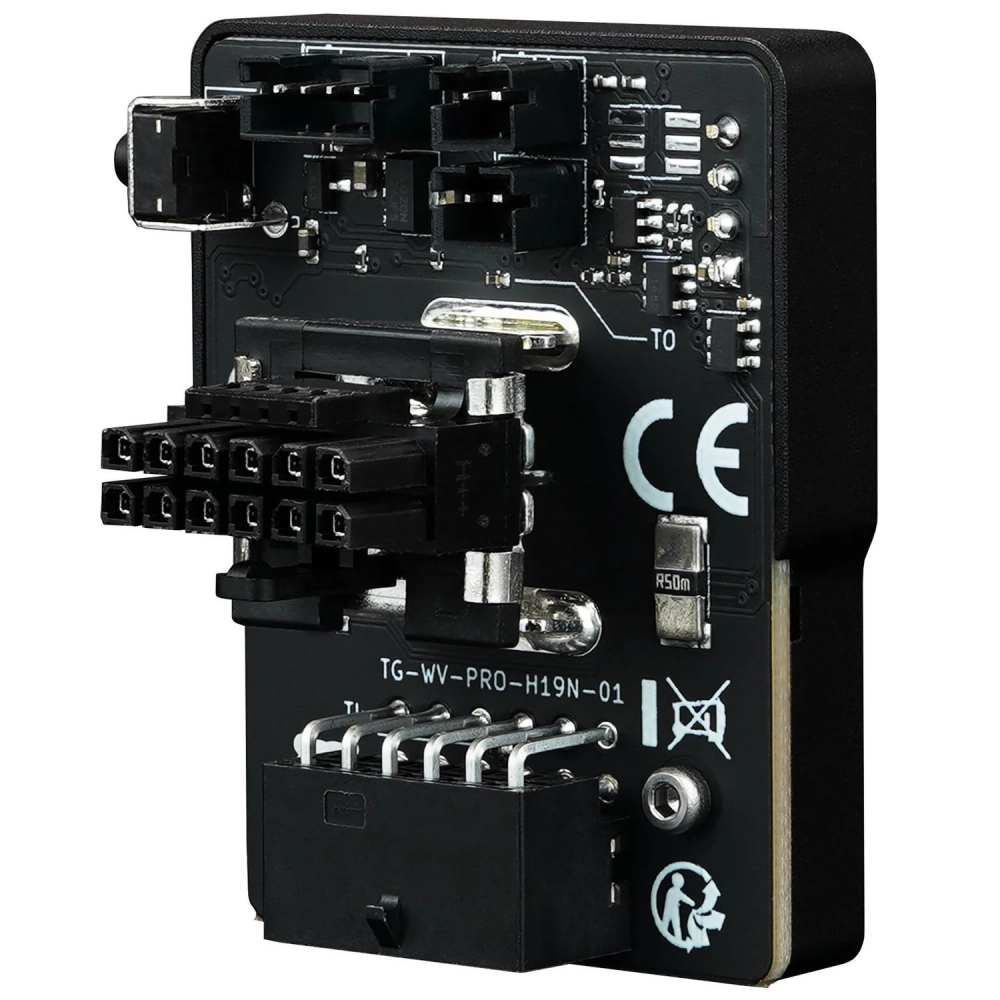
THERMAL GRIZZLY WireView 90 GPU flowmeter 1x 12VHPWR
not available
Product description
Due to its design, the 90° WireView Pro is not compatible with all graphics card models and series. This is due to the size of different cooler designs and the position of the 12VHPWR connector on the graphics card's printed circuit board. Together, these factors can make it impossible to use the 90° WireView Pro. This must also be taken into account when switching to a water-cooled block.
Thermal Grizzly WireView Pro GPU - new release with enhanced security
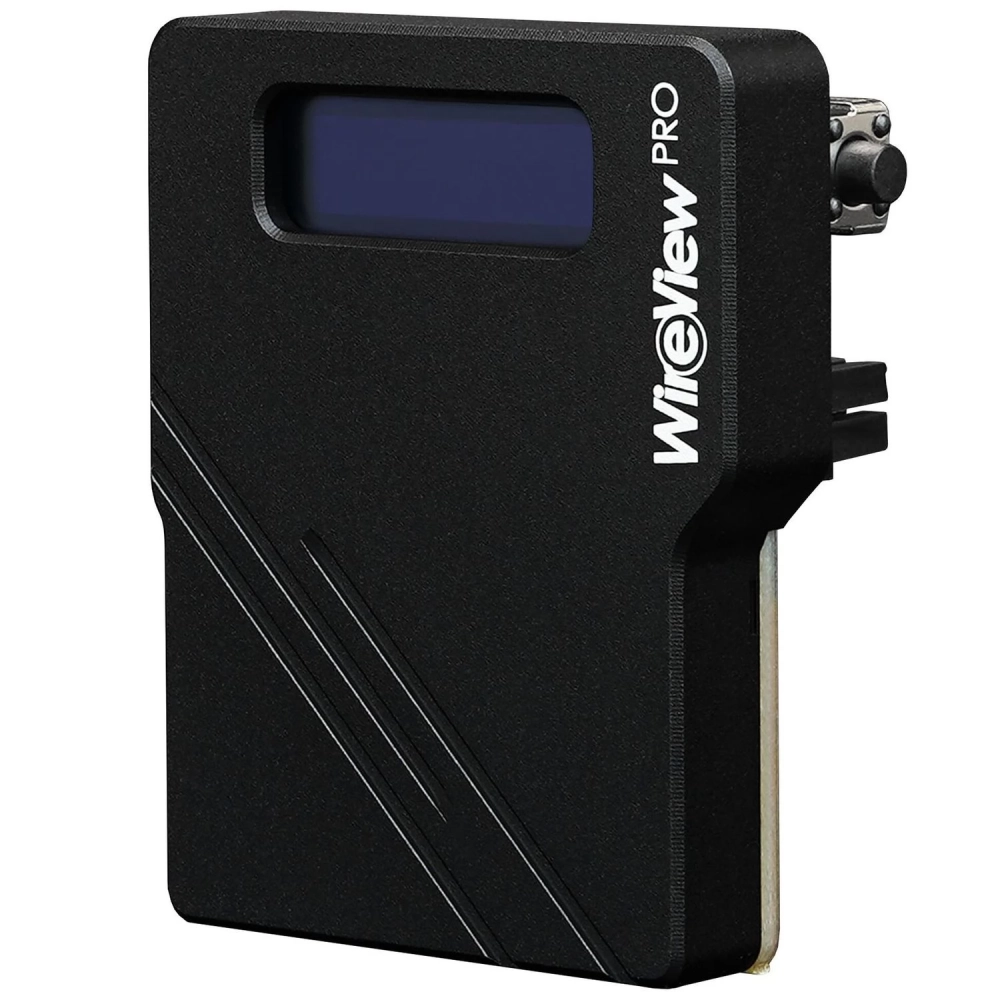
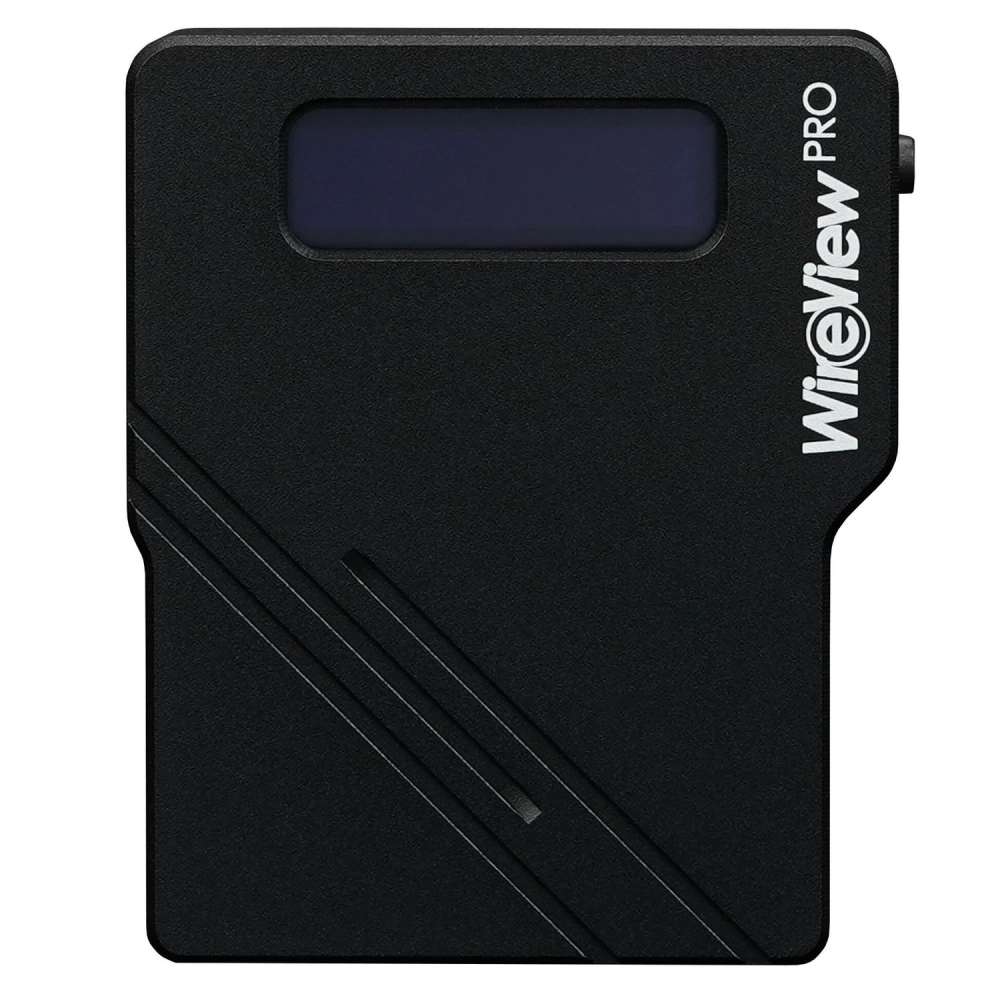
WireView Pro GPU is a further development of the tool for measuring the power consumption of graphics cards. Developed in collaboration with Jon "elmor" Sandström, the WireView Pro GPU is connected to the 12VHPWR power connector on the graphics card and connected to the power supply via the power cable. Energy consumption data is displayed on an OLED display.
What can WireView Pro GPU do?
WireView Pro GPU allows you to measure the power consumption of your graphics cards and records this data to determine the power consumption. This data can be used, for example, to determine the energy costs of a graphics card or to compare consumption with other graphics cards.
However, power consumption measurements can also be used to determine the power consumption of graphics cards over a period of time or for certain applications. In addition, the load peaks of power consumption that can occur during the operation of current high-end graphics cards can be recognized.
Information displayed by WireView Pro GPU at a glance:
- Current energy consumption in watts (W)
- Current voltage in volts (V), current current in amperes (A)
- Minimum and maximum energy consumption in watts (W)
- Average energy consumption in 60 seconds (RAVG in W) and total energy consumption (E in WH)
- Display of the temperatures measured by each temperature sensor (°C)
What's new in WireView Pro GPU?
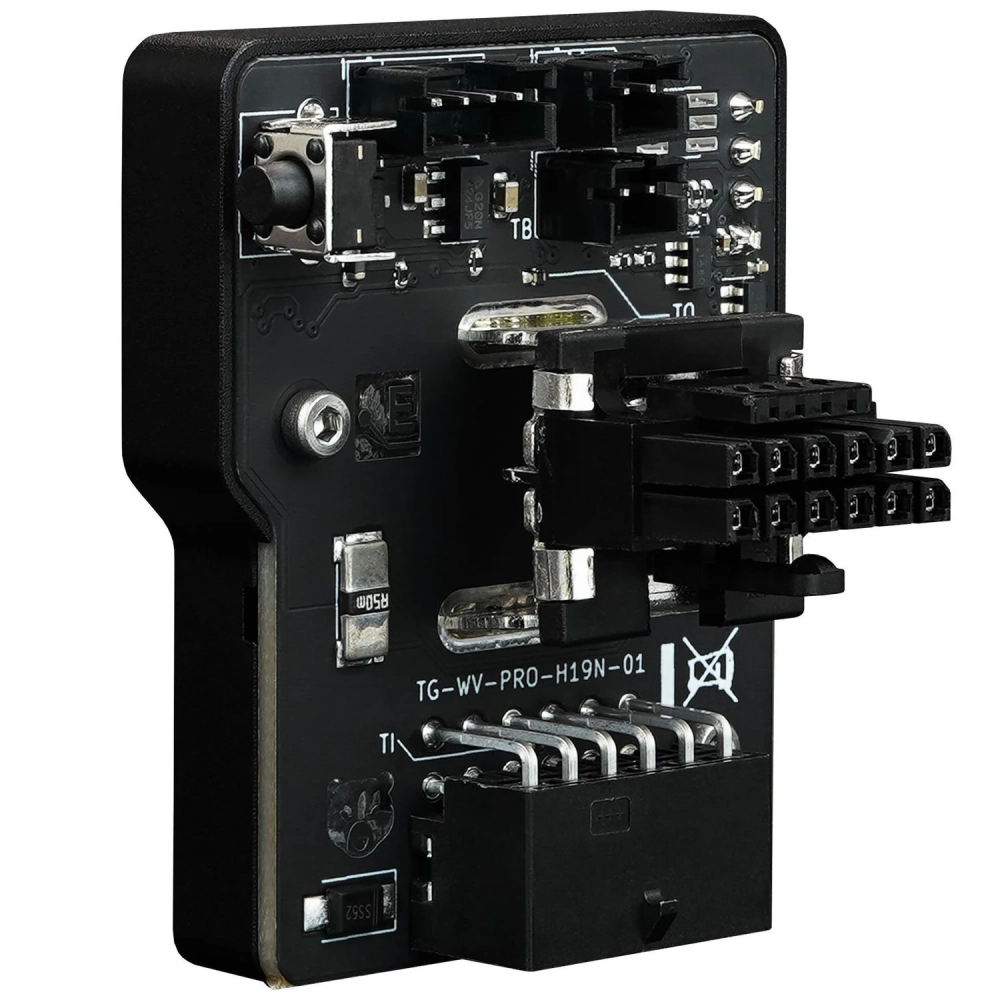
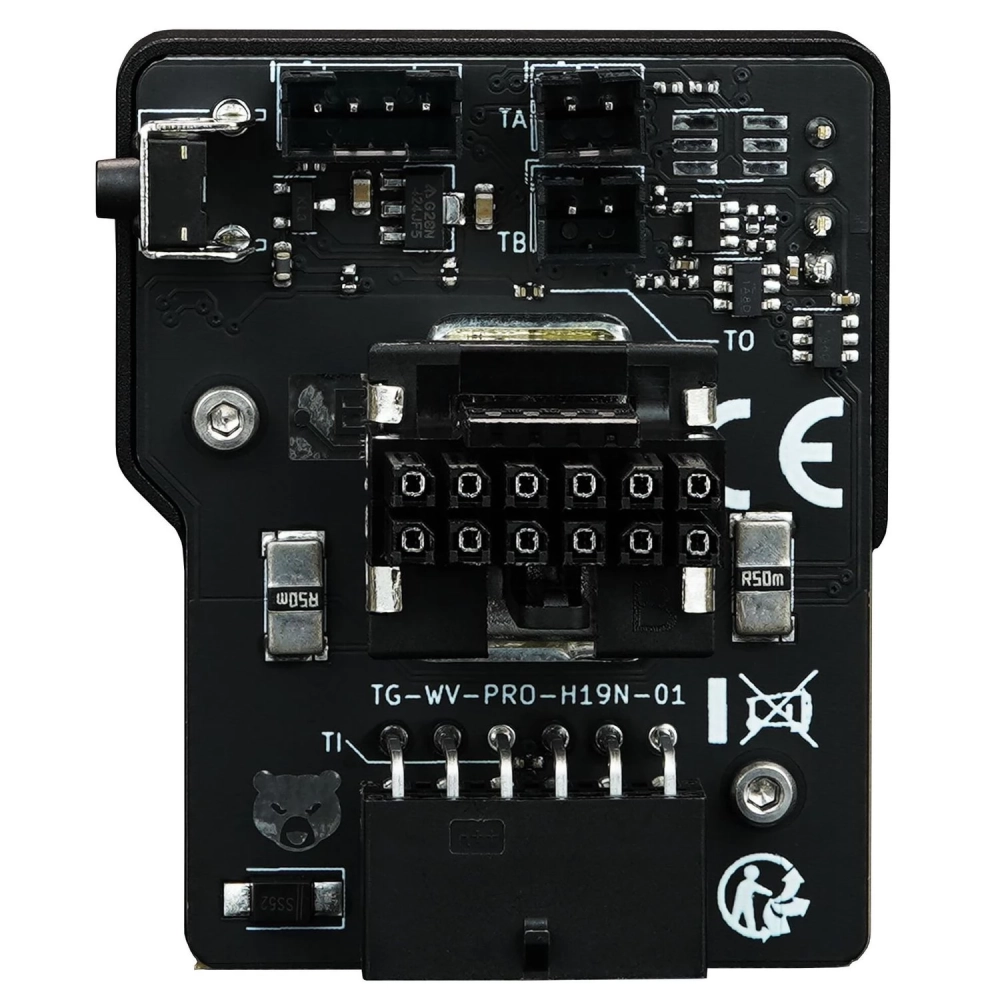
The Pro version has added additional features in the form of plug detection, temperature sensors and an acoustic warning signal. WireView Pro's GPU plug sensor detects whether a plug cable specified for 150 watts, 300 watts, 450 watts, or 600 watts is being used.
At the power connectors, two temperature sensors located on the circuit board monitor the temperature of the power connectors. Up to 600 watts of current can flow through the connectors, which can cause them and the circuit board surrounding the two connectors to heat up significantly. If the adjustable temperature limit value is exceeded, an acoustic signal is emitted.
Two additional closed temperature sensors (10K NTC) can be connected via cable. Two sensors, each with a cable length of 5 cm and 20 cm, are included in the package. In addition, the alarm can also be activated when the adjustable current (ampere) limit value is exceeded.
What WireView Pro GPU is required?
Regardless of the type and number of PCIe power connectors on the graphics card, their orientation is crucial to choosing the right WireView GPU. The WireView GPU is available in "Normal" (N), "Reverse" (R) and this 90° version.
If the graphics card is equipped with PCIe power connectors where the connectors fixing the connectors are oriented further away from the PCB, then the N version is required. In a normal horizontal installation of the graphics card, this would be at the bottom. This variation is the most common type of connector orientation.
If the graphics card is equipped with PCIe power connectors, where the connectors securing the connectors are aligned with the PCB, then the R version is required. In the case of a normal horizontal installation of the graphics card, this would be at the top. This is easily recognized by the fact that there are recesses on the printed circuit board for the connection fixing tabs.
Attention, important note: risk of injury!
Depending on the graphics card used, especially the GeForce RTX 5090, up to 575 watts of current can flow through the WireView connectors. The resulting waste heat can heat up to 60 degrees Celsius on the circuit board at the WireView connector with an air-cooled graphics card. With a water-cooled graphics card without airflow, WireView's printed circuit board can heat up to 100 degrees Celsius! The machine housing must not be touched during operation. After the system is turned off, WireView must be allowed to cool before handling.
PRICE NOTIFICATION
Recommended for you
Similar products
NOTEBOOK SEARCH
OPINIONS
OPINIONS
