
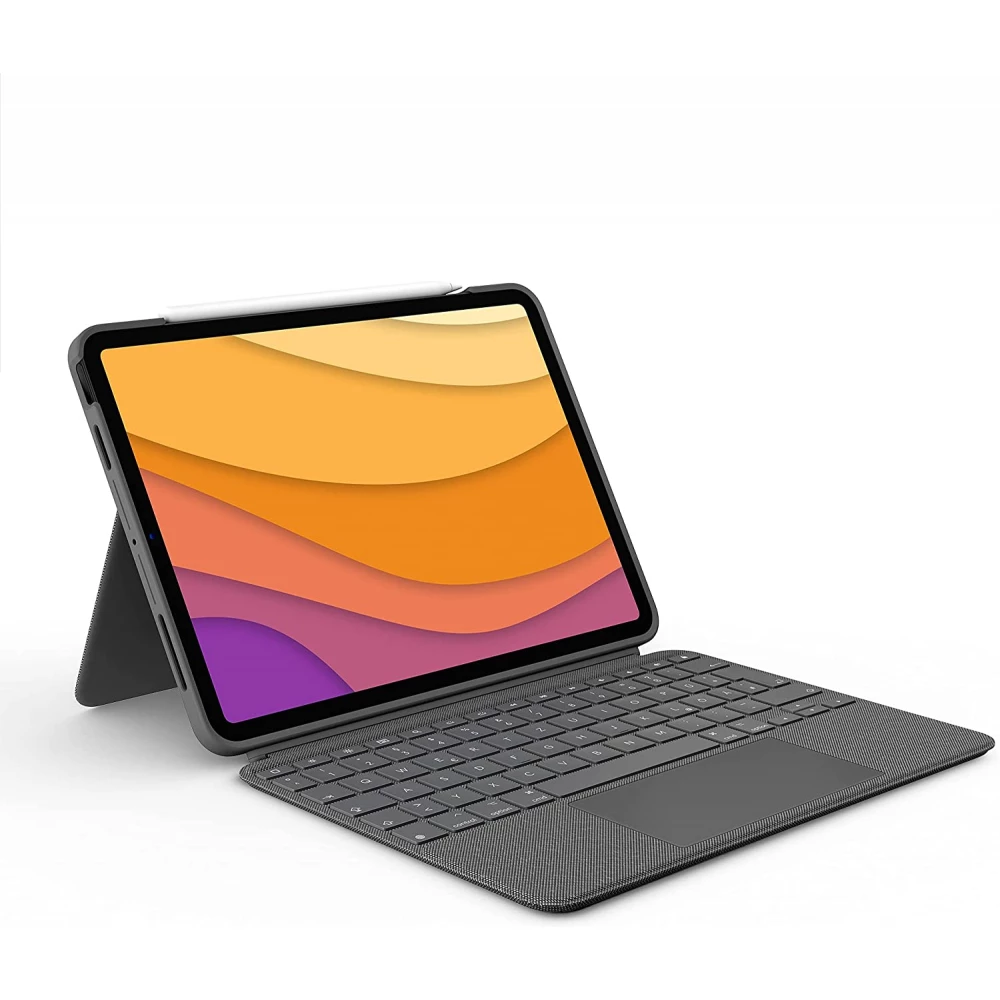
LOGITECH Combo Touch iPad Air 11" (M2) UK oxfordi grey
not available
Product description
This is not just a laptop. Much more than that.
Learn the keyboard, which raises versatility to a completely new level. You can type, view, draw and read with your iPad Pro - all while protecting your front, back and corner. You can work and create smoothly with the new clicking bench anywhere and Logitech's unique laptop -like keyboard. Opportunities? Are infinite.
Four modes
The Combo Touch keypads offer four usage modes to perform tasks easier.
Typing mode:
Fix the keyboard in an upright position, pull out the stand, and are ready to write notes, emails and more.
View mode:
To watch movies and videos, disconnect the keyboard and unplug the stand.
Drawing mode:
Decide on the stand completely to set an ideal angle for handwriting or drawing the Apple Pencil or Logitech Crayon pencil.
Read mode:
To read books, articles and more, disconnect the keyboard - or connect it with inwardly reversed keys.
Disconnecting the keyboard
Did you finish typing? Simply disconnect the keyboard to draw, read or watch videos so that nothing inhibits the insight into your beautiful iPad screen. Then, to find the perfect angle, use the 50 degree angle of the adjustable stand.
Safe, formalized defense
This is not just protection. This is peace. The Combo Touch is made to fit perfectly into the iPad to protect its front, back and heels from scratches and strokes. You can be sure that the iPad is safe and does not slip out of the case, so you can focus on important things - they can do them. Even if you have to go from the desk to the living room or take it with you when traveling.
You can click anywhere
The new touch -by -clicking tangent provides greater freedom, control and accuracy to perform daily tasks in applications (such as Safari, Keynote and Pages).
Our biggest touchpad to date
Compared to the touchpads of Logitech Bill in 2020.
Get to know the biggest touch bench ever designed for the keyboard. With a larger touch, you can work in a larger place and use the hand gestures used on the already known and popular multi-touch touch. You can slip, tap, pinch and scroll through your work.
Extremely sensitive and reliable
You can expect extremely sensitive, world -class navigation from Smart Connector technology - all without having to pair.
Typing around the clock
The rear -light keys are automatically adapted to the environment with 16 brightness levels - so you can see the keys and focus on any lighting conditions. You can manually adjust the brightness with shortcuts available at the top of the keyboard.
Typing
Thanks to the more than 20 years of typing in Logitech keyboards, the keystrokes are smooth, natural and accurate. For hours, you can comfortably type with the keys, which jump quickly to their seats every time.
Full line of command keys
Forget the search for menus on the General Functions screen. The Combo Touch offers a whole line of iPad-racing. With a single tap access, you can adjust the volume and media control controls, the brightness levels of the keys and a lot.
PRICE NOTIFICATION
Recommended for you
Similar products
NOTEBOOK SEARCH
OPINIONS
OPINIONS
