
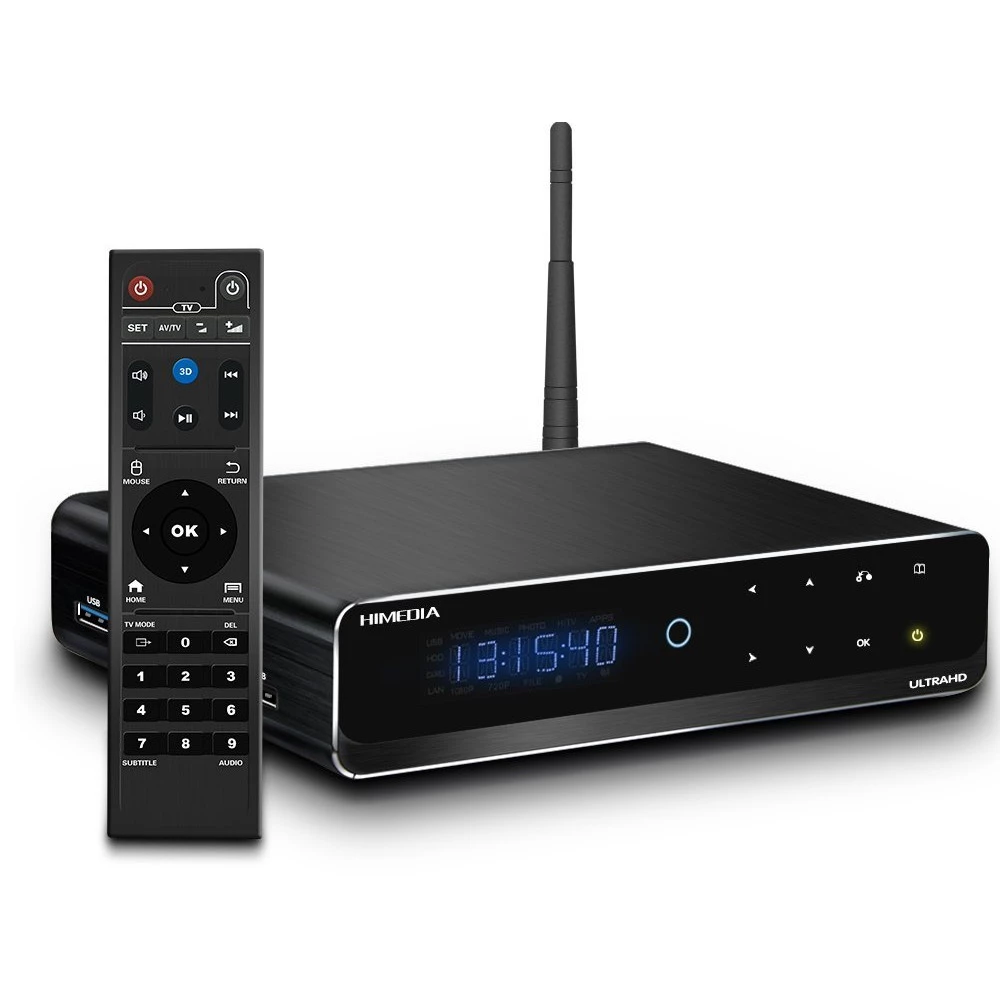
HIMEDIA Q10 Pro
Substitute products
Product description
Q10 Pro currently comes with full Android 5.1.1. Its processor is HiSilicon HI3798C V200 manufactured by Huawei, quad-core ARM (Cortex A53), 64-bit, 1.6 GHz. The graphics processor is a Mali-T720 with 3 cores. 2 GB of DDR3 RAM and 16 GB of internal flash memory are available for the processors. Bluetooth (4.0+EDR) and 802.11ac internal Wi-Fi are standard accessories! The professionally machined metal housing can be opened with one move and a 3.5" SATA hard drive can be inserted without screwing. The HDMI output is made according to the 2.0a standard, playing 3D and 4K/60 fps files is no problem either, it supports HDCP 2.2 copy protection On the left side of the device there is an SD/MMC card reader and 2 USB2.0 and 1 USB3.0 slave port. On the back, there is a 12V power input, HDMI, gigabit ethernet, composite video with stereo analog RCA outputs, coax and optical digital there is an audio output and a USB3.0 slave connector, through which the hard drive or SSD in the Q10 Pro can be connected to our computer as backup storage.
The Imprex 2.0 PQ image enhancement circuit makes the device suitable for use as a source of quality home cinema. The Imprex electronics and algorithm were jointly developed by Dolby Laboratories and Huawei (more precisely, by HiSilicon, which it owns). The goal was to create a processor that can be the ideal basis for 4K set-top boxes, on the one hand, due to the excellent image quality (integrated support for HDR10 and Dolby Vision), and on the other hand, the management of copy protection and security solutions (e.g. hardware watermark), which is essential to win an online pay TV provider. All of this is made specifically for the Android platform. Imprex 2.0 is a similar alternative to the Darbee and VXP procedures, and according to the first user reviews, it performs completely head-to-head with them. However, many, many parameters can be set in it (e.g. R/G/B/C/M/Y components separately), so it is easy to create a particularly bad image if someone does not know what it affects.
The Q10 Pro currently supports HDR10 10-bit color depth 4K playback (as well as the BT.2020 color gamut) coming with the UHD Blu-ray standard, and although the processor has it integrated, the software (currently?) does NOT support Dolby Vision 12- for managing bit colors. TVs compatible with HDR10 are expected to arrive in autumn 2016, and those capable of Dolby Vision in 2017 - although it now appears that whether they support Dolby will vary by manufacturer. Sooner or later, HDR10 will surely be adopted by everyone, as many such 4K Blu-rays have already been announced. By the way, the 10-bit display per color causes a significantly more spectacular improvement in image quality than changing from fullHD to 4K, since I have very small pixels for nothing, if in a color transition the pixels next to each other will be the same color (i.e. become one), since there is no possibility to display several similar shades. Thus, the TV topic of the coming months and years will certainly be HDR compatibility.
Of course, there is no problem with 23.976/24/30/50/60 Hz playback either, the Q10 Pro automatically switches between them when starting the movie at all resolutions. The primary media player application - due to its popularity so far - will probably continue to be KODI - when it comes to Android - so it is important that this program works properly on the device. KODI will only be able to make full use of the given hardware if its developers have already integrated the necessary code. This can often take months. The new processor of the Q10 Pro and especially the Imprex 2.0 PQ engine are not yet supported in the official KODI version (summer 2016), they are only fully managed by the factory-installed Media Center application. However, by installing HiMedia's so-called KODI wapper application, it can be solved so that KODI is only the front-end, i.e. only provides the user interface, when the playback starts, it already hands over the video to the Media Center app. This pairing works perfectly, the user is apparently watching a movie in KODI (or listening to music), but the movie is already processed by another program, in which Imprex image enhancement and 3D are flawless.
Considering that it's Android, there are countless mobile remote control apps, and you can download dozens just for KODI. HiMedia's free app called HiShare can mirror the entire screen of the Q10 Pro to your phone or tablet, so you can not only control the player by pressing the phone, but you can also see the currently playing movie on the phone! But it also works the other way around, as the screen content can be sent to the Q10 Pro from an iPhone or Mac via AirPlay. Of course, playing music without a TV is also perfectly solved, and in this regard it is worth mentioning that although the analog audio output on the Q10 Pro is of surprisingly high quality and noise-free, you can connect an external DAC not only to its coaxial and optical outputs, but also to one of its USB ports , as Android supports external USB sound cards at the system level!
Other parameters of the Q10 Pro:
- Supported
Similar products
NOTEBOOK SEARCH
OPINIONS
OPINIONS
