
Dear Visitor! We are carrying out maintenance this weekend, so our website may be slow or briefly unavailable at times. Thank you for your patience!
BROTHER PT-E560BTVP Pro címkézőgép 180 dpi USB Bluetooth cutter
85 689 Ft
81 590 Ft
Product description
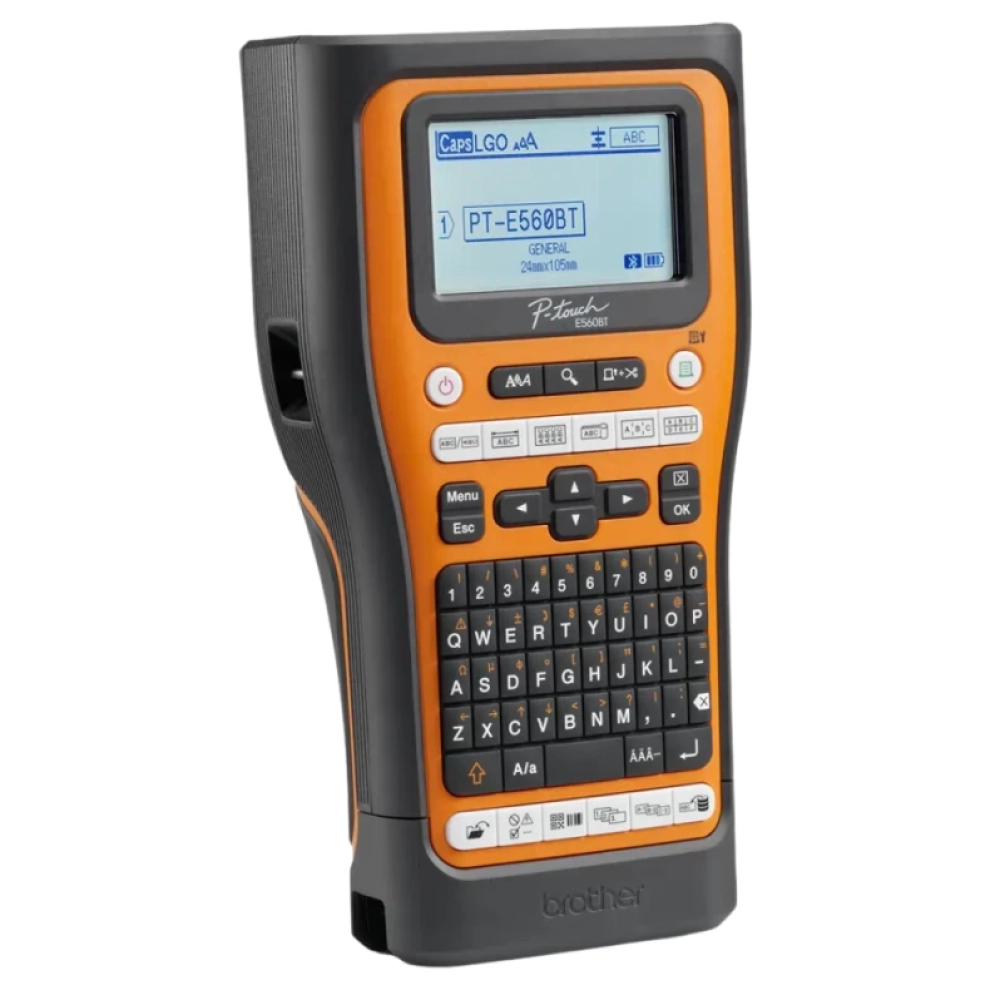
The Brother P-Touch PT-E560BTVP is a professional label for electricians with an ideal industrial environment, USB and Bluetooth connections, and can be connected to PC or smartphone with the Brother Pro Label Tool application and the P-Touch Editor Label software.
The PT-E560BTVP model prints easy-to-use transparent labels up to 24 mm wide using a heat transfer method, 180dpi resolution, including 2D codes or logos, at high speeds. Up to 30 mm/sec, and compatible with Pro series tapes from Brother, which is resistant to water, abrasion, chemicals and extreme temperatures.
The labels are made with the built-in keyboard that is connected to the device via Bluetooth or connected via USB to a computer using the Brother Pro Label Tool app or the P-Touch Editor software. In addition, the Android (9, 10, 11, 12 and 13), iOS (15, 16), Windows (Win 10, 11) and Mac (11, 12 and 13) are also operating systems.
- Large graphics display to preview tags before printing
- Create and print tags from a computer or smartphone
- Qwerty keyboard with 70 button
- compatible with Brother Pro tapes
- High print speeds up to 30 mm/sec
- Bluetooth and USB connection
- is equipped with an automatic cutter with a full or partial cut
- Contains 2 tapes, rechargeable li-ion battery, carrier bag and USB cable
- Store up to 99 labels for quick reprint
- Print of 3.5, 6, 9, 12, 18 and 24 mm labels
In addition, the device has an automatic cutter that can cut the labels completely or partially. In addition, the PT-E560BTVP has a wide screen that helps you watch the tags preview before printing, 70 button, rechargeable Li-ion battery, and can store up to 99 labels for quick repair.
Contents: USB cable, 2 tzze tapes: 1x Tzefx231, 1x Tzes651, Li-ion battery, carrier bag, instructions and quick setup and installation instructions.
PRICE NOTIFICATION
NOTEBOOK SEARCH

OPINIONS
0.0
